Blogs (240)
- Accounting Software (2)
- AI Scripts (1)
- ASP.Net Projects (6)
- Banking Scripts (2)
- Buy Sell .Net Projects (2)
- Buy Sell Code (38)
- Buy Sell PHP Scripts (4)
- Classified Scripts (1)
- Clone Scripts (2)
- Codecanyon Alternative (6)
- CRM Scripts (1)
- Crypto Platform (6)
- Django Projects (1)
- Ecommerce Scripts (1)
- ERP Source Code (1)
- Final Year Projects (3)
- Forex Trading Platform (8)
- Free PHP Projects (6)
- Hosting (1)
- Marketplace Scripts (2)
- Micro SaaS (6)
- MLM Scripts (1)
- Online Booking Script (1)
- Passive Income (11)
- PHP Development (1)
- PHP Scripts (40)
- PHP Tutorial (6)
- PhpGuard (3)
- Python Scripts (2)
- Readymade Software (3)
- Reselling Software (2)
- SaaS Scripts (3)
- School Scripts (1)
- Side Hustle (1)
- Vibe Coding (3)
- White Label Software (21)
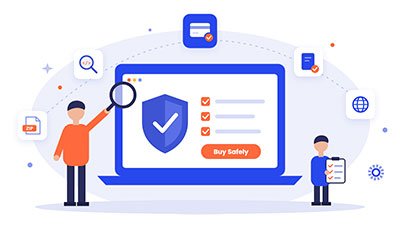
How to Buy Source Code Safely
Buy Sell Code
Buying ready-made source code can save you months of work. Maybe you're launching a SaaS product, starting an app business, or building something for a client. Starting from existing code gets you to market faster and costs less than building from scratch.
It can also go wrong. Buyers end up with code that doesn't run, restrictive licenses, missing files, or sellers who disappear after the payment. The good news is that most of these problems are easy to avoid if you know what to check.
This guide covers how to buy source code safely, with simple checklists you can use on any marketplace.
Why Buy Source Code Instead of Building From Scratch?
Here's why buying often makes sense:
- Speed: Launch in days or weeks, not months.
- Lower cost: One purchase costs far less than a full development team.
- Proven features: Core features are already built and tested.
- Focus: You spend your time on branding, marketing and customers instead of the basics.
The key is buying the right code from the right seller.
Step 1: Choose a Trustworthy Marketplace or Seller
Before you look at the code, look at who is selling it. A trustworthy seller is usually open about their product and happy to answer questions.
Seller checklist:
- The seller has a real website, contact details and a history
- There are reviews, ratings or testimonials from real buyers
- The product page clearly lists features, the tech stack and requirements
- The seller answers pre-sale questions quickly and clearly
- Payment happens through a secure, recognized gateway
- There is a clear refund or dispute policy
Red flag: A price that looks too good to be true, no contact information, or pressure to pay outside the platform.
Step 2: Always Test a Live Demo
Never buy code you haven't seen working. A good seller gives you a live demo, often with separate views for the admin and the user.
Demo checklist:
- The live demo loads quickly and works properly
- You tested the main features yourself, not just the screenshots
- The admin panel is included and easy to use
- It works on both mobile and desktop
- The design is modern and easy to customize
Step 3: Understand Exactly What You're Getting
This is where many buyers get caught out. "Source code" can mean very different things depending on the seller. Some sellers deliver only part of the code, or deliver it encrypted or obfuscated so you can't edit it.
Deliverables checklist:
- Full, unencrypted source code (not obfuscated or locked)
- Frontend, backend and database files are all included
- Mobile app code is included, if it's an app product
- Installation and setup documentation
- A list of third-party APIs or services the code depends on
- Clear server and hosting requirements
Ask directly: "Will I get 100% of the source code, and can I edit all of it?"
Step 4: Read the License Carefully
The license decides what you're allowed to do with the code after you buy it. Many marketplaces sell code under restrictive licenses that:
- Allow you to use it on only one domain
- Require license key activation or regular "phone home" checks
- Stop you from reselling or rebranding it
- Charge renewal fees every year
- Limit use to personal projects only, not commercial ones
These limits can cause real trouble when your business grows or you want to launch in a new market.
License checklist:
- Can you use it on unlimited domains?
- Is there no license key or activation lock?
- Can you rebrand it (white-label) as your own product?
- Is commercial use allowed?
- Is it a one-time payment with no recurring fees?
That's why many entrepreneurs now choose white-label source code providers. At Coderobotics, for example, every product comes as full white-label source code with no license restrictions, no domain limits and a one-time payment. You own the code, you can rebrand it, and you can deploy it wherever you like.
Step 5: Check Code Quality and Technology
You don't need to be a developer to do a basic check. If you have a technical friend or freelancer, ask them to spend an hour reviewing the code.
Technical checklist:
- It's built on a modern, widely used tech stack
- The code is clean, organized and commented
- It isn't built on outdated or unsupported frameworks
- There are basic security practices (input validation, secure authentication)
- It can scale as your users grow
- It's easy to customize (colors, logo, languages, features)
Step 6: Ask About Support, Installation and Updates
Even great code needs help getting started.
Support checklist:
- Is installation help included or available?
- How long does free support last after purchase?
- Can you get paid customization if you need it?
- Are bug fixes or updates provided?
- ? What are the support channels (email, chat, tickets)?
Step 7: Protect Yourself During Payment
- Pay only through secure, traceable payment methods.
- Keep copies of the invoice, the product page and all messages.
- Avoid direct transfers to unknown individuals.
- Confirm the delivery method and timeline before you pay.
Step 8: After You Buy
Once you have the code:
- Back it up straight away, in more than one place.
- Install it on a test server before going live.
- Change all default passwords, API keys and admin credentials.
- Rebrand it: add your logo, name, colors and domain.
- Review security settings and set up SSL.
- Test everything end to end before launch.
Quick Summary: The Safe Buyer's Checklist
| Area | What to Confirm |
|---|---|
| Seller | Real business, reviews, fast replies |
| Demo | Live, working, admin + user views |
| Deliverables | Full, unencrypted source code + docs |
| License | No domain limits, no license keys, rebranding allowed |
| Pricing | One-time payment, no hidden or recurring fees |
| Code Quality | Modern stack, clean, secure, scalable |
| Support | Installation help and clear support terms |
| Payment | Secure, traceable, with documentation |
Final Thoughts
Buying source code is one of the fastest ways to launch a digital business, as long as you do it carefully. Pick a trustworthy seller, test the demo, make sure you get the full code, and above all read the license.
If you want freedom and full ownership, look for white-label code that comes with no strings attached. Coderobotics offers ready-to-launch white-label source code: full code, no license restrictions, no domain limits, one-time payment. You can rebrand it, customize it and grow your business on your own terms.
This article was posted by Sasi and tagged in How to Buy Source Code Safely: A Checklist for Buyers
Don’t Keep This to Yourself — Share It!


Leave a Comment
Comments
No comments yet. Be the first to comment!