ASP.NET Core Construction Project Management
ASP.NET Applications
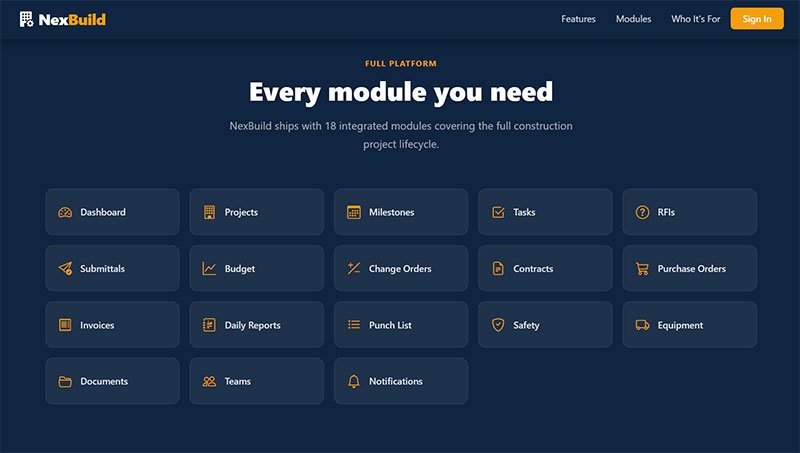
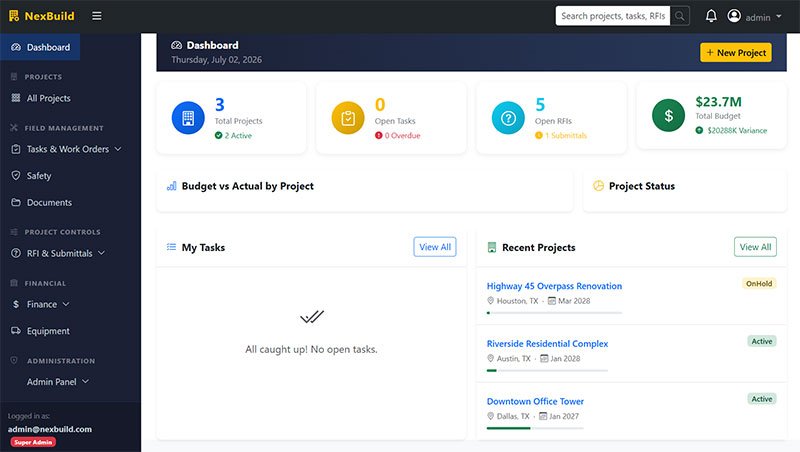
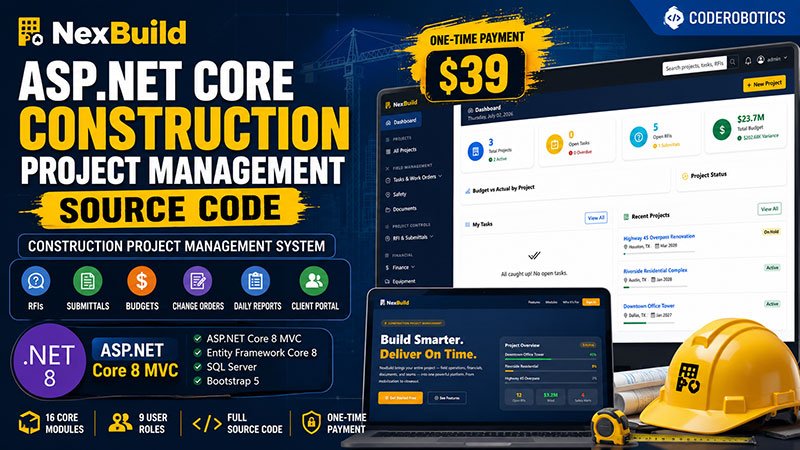
NexBuild is a full-featured construction project management system built on ASP.NET Core 8 MVC and SQL Server, designed for general contractors, construction managers, and project owners who need to run a job from mobilization through closeout in one platform. It covers the full scope of a construction workflow — RFIs, submittals, budgets, change orders, contracts, purchase orders, invoices, daily field reports, punch lists, safety incidents, and equipment tracking — across 16 core modules and 40+ database tables. The platform ships as complete, unencrypted source code with no domain restrictions, making it well suited for developers and agencies looking to white-label a ready-made construction PM tool, or construction firms replacing spreadsheets with a real system.
ASP.NET Core Construction Project Management
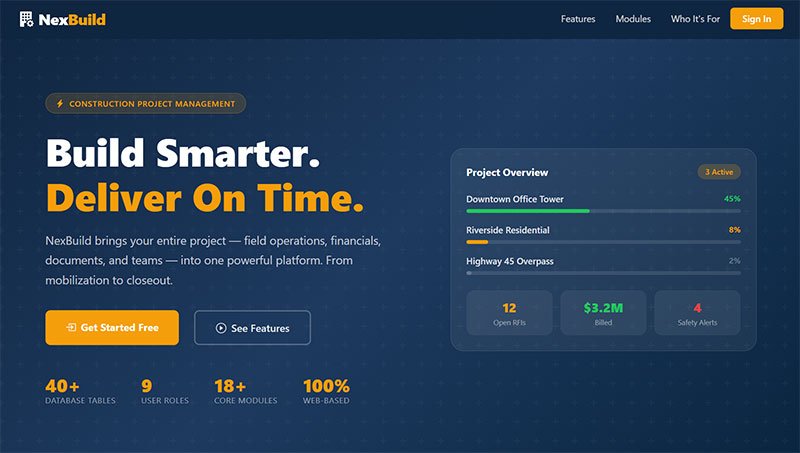
NexBuild is a full-featured construction project management system built for general contractors, construction management firms, and project owners who need to track jobs from pre-construction through closeout. It brings together the core workflows a construction PM tool needs — RFIs, submittals, budgets, change orders, contracts, purchase orders, invoices, daily field reports, punch lists, safety incidents, and equipment tracking — into a single ASP.NET Core 8 MVC application.
The platform ships as complete, unencrypted source code with no domain restrictions and a one-time payment. It's built with a nine-role permission system spanning company staff, field crews, subcontractors, and clients, so it can be white-labeled and resold as-is or customized for a specific construction niche.
Core Modules (16)
- Project & Task Management
Projects (create, edit, team management, dashboard) · Tasks (assignment, progress tracking, comments, status filtering) · Milestones - Field Operations
Daily Reports (crew data, weather, photos) · Punch List (by trade, assignment, verification) · Safety (incident reports, toolbox talks) · Equipment (inventory, status, project assignment) - Project Communication
RFIs (submit, respond, track, close) · Submittals (shop drawings, product data, review/approval, revisions) · Documents (upload, versioning, categorization) - Financials
Budget (line items, committed vs. actual, variance reporting, Excel export) · Change Orders (approval workflow, linked to RFIs) · Contracts (management, lien waiver tracking) · Purchase Orders (line items, receipt confirmation, budget linking) · Invoices (creation, approval, payment status, print view) - Access & Reporting
Client Portal (read-only progress, approvals, invoices) · Admin Panel (user management, role assignment, audit log)
Roles & Permissions (9)
| Role | Access |
|---|---|
| SuperAdmin | Full access — all modules, admin panel, user management |
| CompanyAdmin | Full access — all modules, admin panel, user management |
| ProjectManager | Create/edit most records across all project modules |
| SiteSupervisor | Field access — daily reports, punch list, safety, tasks |
| Subcontractor | Field access — limited to assigned tasks and reports |
| Accountant | Finance access — budget, invoices, purchase orders |
| Estimator | Finance + project management view |
| Client | Client portal only — read-only project view |
| Viewer | Read-only access to assigned projects |
Authorization is enforced through policy-based access control (SuperAdminOnly, AdminOrAbove, PMOrAbove, FieldAccess, FinanceAccess, SubcontractorPlus, ClientAccess, AnyRole).
Tech Stack
| Layer | Technology |
|---|---|
| Framework | ASP.NET Core MVC (.NET 8) |
| ORM | Entity Framework Core 8 (SQL Server) |
| Auth | ASP.NET Core Identity (cookie authentication) |
| UI | Bootstrap 5, Bootstrap Icons |
| DinkToPdf | |
| Excel Export | EPPlus |
| Logging | Serilog |
| Dev Tools | Razor Runtime Compilation (hot reload) |
Key Technical Notes
- Soft deletes on Projects, Tasks, Daily Reports, and Punch List items — records are hidden, not destroyed, and excluded via EF Core query filters
- Full audit logging on create, update, delete, login, and logout events per user
- Project-scoped modules accept an optional projectId parameter; a project selector appears automatically when none is specified
- Client Portal gives project owners visibility into progress, approvals, and invoices without exposing internal PM tools
Target Audience
- General contractors and construction management firms needing an internal PM system
- Developers/agencies white-labeling a construction PM tool for niche resale
- Owners of small-to-midsize construction companies replacing spreadsheets with a real system
- SaaS builders wanting a ready-made ASP.NET Core construction vertical to launch on
Limitations
- No native mobile app — client portal and field views are responsive web, not packaged mobile apps
- No built-in payment processing — invoices are tracked and marked paid, not processed through a payment gateway
- Single-company data model — not a multi-tenant SaaS platform out of the box
FAQ
1. Is this a multi-tenant SaaS platform?
No. NexBuild is built for a single company managing multiple projects. Multi-tenancy would require additional development.
2. Can I customize the roles and permissions?
Yes. The nine built-in roles and policy-based authorization can be extended or modified in the source code.
3. Does it include a client-facing app?
Yes — the Client Portal module gives clients read-only access to project progress, approvals, and invoices through the same web application.
4. What database does it use?
SQL Server, via Entity Framework Core 8. Migrations and seed data run automatically on first launch.
Don’t Keep This to Yourself — Share It!


License
A regular license permits the use of an item in a single project, whether for personal or commercial purposes, by you or on behalf of a client. Resale of the item, either individually or as part of a project, is prohibited, and the distribution of source files is not allowed.
Machine
x86-64 (64-bit).
CPU
Operating system dependent.
Memory
2 GB.
Screen Resolution
1280 x 800, 16-bit color.
Hard Disk
200 MB.
Operating System
Windows 7 (32-bit or 64-bit) or later.
System Requirements
- .NET 10 SDK
- SQL Server (LocalDB supported for local development)
- Any Windows or Linux server with .NET 10 runtime
Languages Used
- Framework: ASP.NET Core MVC (.NET 8)
- ORM: Entity Framework Core 8 (SQL Server)
- Auth: ASP.NET Core Identity (cookie authentication)
- UI: Bootstrap 5, Bootstrap Icons
- PDF: DinkToPdf
- Excel Export: EPPlus
- Logging: Serilog
- Dev Tools: Razor Runtime Compilation (hot reload)
Payment Type
One time Payment: Upon receiving your full payment, we will provide you with the complete source code. After that, no additional payments will be required.
Delivery Time
We will send the Download Link to you Within 2-4 hrs. On Working Days(Monday- Friday) And the source code will deliver within 4-8 hours On Weekends (Saturday -Sunday).
Technical Support
Unlimited Email Support for One Year.
Software Update
Free Updates for One Year.
Customization Scope
Includes Complete Source Code.
Encryption
No Encryption and No Domain Limitations.
Installation
No Free Installation Services. Our charges range from $20 to $30, depending on the software's complexity and criticality.















No comments yet. Be the first to comment!