BarcodeTools Pro Python GS1 Barcode Parser
Python Scripts
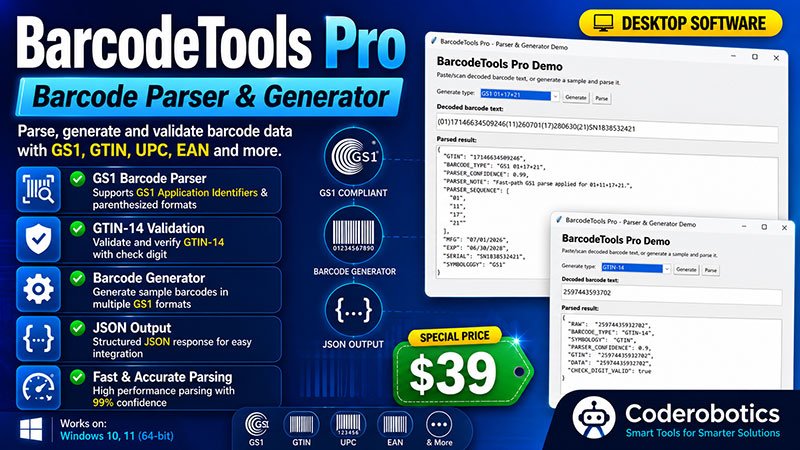
BarcodeTools Pro is a Python 3.10+ source-code bundle that parses decoded barcode scanner text and generates randomized barcode test data for developers and businesses building inventory, warehouse, and label-verification tools. It supports a wide range of formats, including GS1-128, GS1 DataMatrix, GS1 QR Code, UPC-A, EAN-8/13, GTIN-14, SSCC, Code 39, Code 128, Codabar, and QR payloads such as vCard, WiFi, and JSON. The parser extracts key GS1 fields like GTIN, LOT, EXP, and SERIAL, while the built-in generator produces realistic test payloads for QA and demo purposes. BarcodeTools Pro is built for developers who need a ready-to-integrate barcode parsing foundation without building one from scratch.
BarcodeTools Pro Python GS1 Barcode Parser
BarcodeTools Pro is a Python source-code bundle for parsing, generating, and testing barcode data. It's built for developers, warehouse and inventory workflows, label-verification projects, and automation tools that need to work with GS1, UPC, EAN, GTIN, SSCC, Code 39, Code 128, Codabar, QR, vCard, WiFi QR, and JSON-style barcode payloads.
The core parser and generator modules have no third-party dependencies, making the package easy to drop into an existing Python project or use as the foundation for a new one. It ships as complete, unencrypted source code with no domain restrictions and a one-time payment — install it once and reuse it across as many projects as you like.
Note: BarcodeTools Pro parses decoded scanner text. It does not decode barcode images from photos.
Barcode Formats Supported
The parser handles decoded text from a wide range of common scanner workflows:
- GS1 Formats
GS1-128 · GS1 DataMatrix · GS1 QR Code · GS1 DataBar-style decoded text · Parenthesized GS1 Application Identifiers such as (01), (17), (21) - Retail & Logistics
UPC-A · EAN-8 / UPC-E · EAN-13 · GTIN-14 · SSCC - Symbology Text
Code 39-like text · Code 128 text · Codabar - QR & Structured Payloads
QR URL · vCard · MECARD · WiFi QR · JSON text · Email/phone/SMS QR payloads - AIM/Symbology Prefixes
Recognizes scanner-transmitted prefixes such as ]C1, ]d2, ]Q1, ]E0 for more reliable symbology detection.
GS1 Fields Extracted
The parser pulls out the fields that matter most for inventory and receiving workflows:
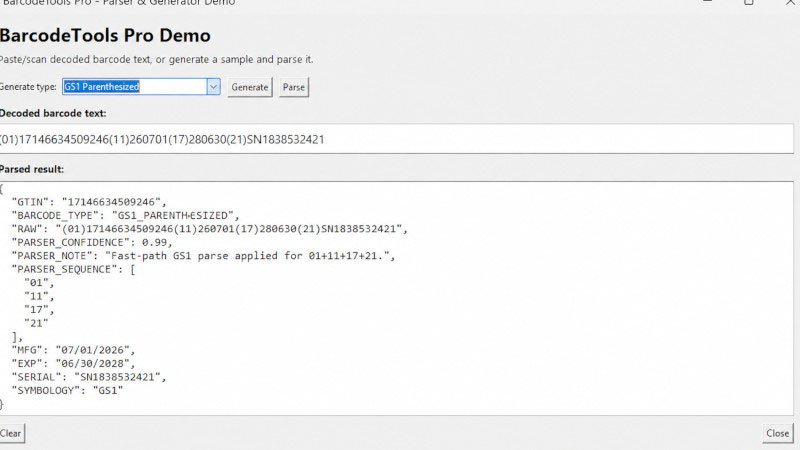
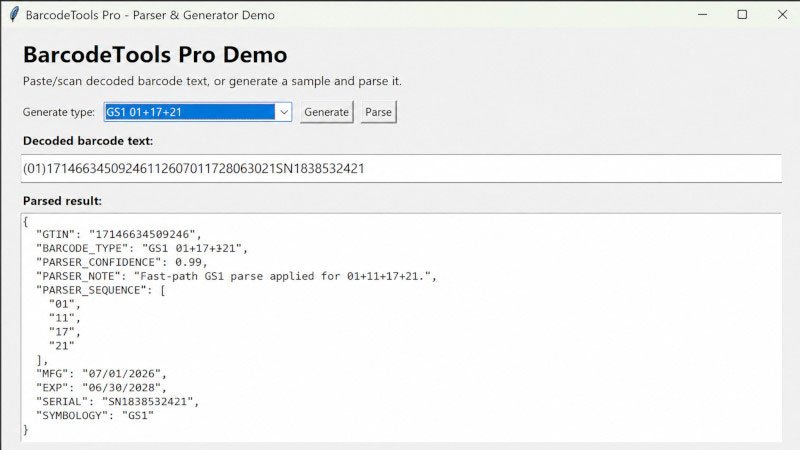
GTIN · SSCC · LOT · MFG · EXP · SERIAL · QTY · CHECK_DIGIT_VALID · BARCODE_TYPE · SYMBOLOGY · PARSER_CONFIDENCE · PARSER_WARNING
Test Data Generator
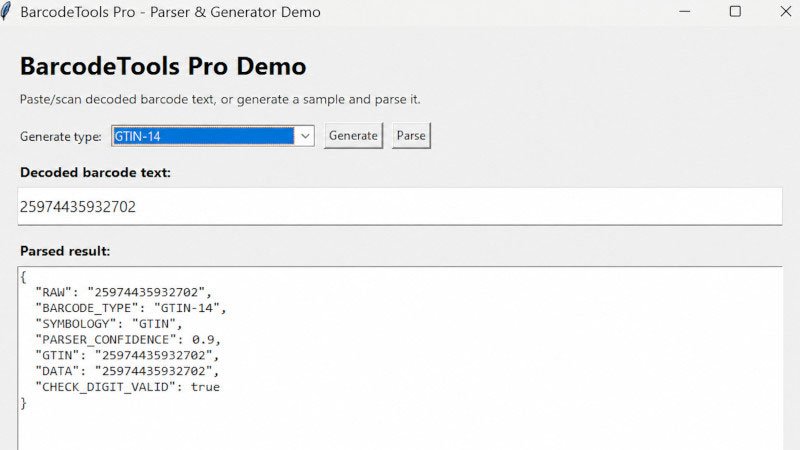
BarcodeTools Pro doesn't just parse — it can also generate randomized, realistic barcode payloads for testing, QA, and demos. Supported generator types include:
GS1 01+17+21 · GS1 Parenthesized · GS1-128 AIM Prefix · GS1 DataMatrix AIM Prefix · GS1 01+10+17 · UPC-A · EAN-13 · GTIN-14 · SSCC · Code 39 · Code 128 Text · Codabar · QR URL · QR vCard · WiFi QR · JSON Text
This makes it easy to stress-test a scanning pipeline or populate a demo environment without needing physical barcodes on hand.
Command-Line Tools
BarcodeTools Pro includes a CLI for quick parsing, generation, and batch work:
- python -m barcodetools_pro.cli parse "01012345678901281726070121SN123456"
- python -m barcodetools_pro.cli generate --type "GS1 01+17+21" --count 5
- python -m barcodetools_pro.cli generate --type "EAN-13" --count 3 --parse
- python -m barcodetools_pro.cli batch-csv sample_barcodes.csv parsed_output.csv --column barcode
A CSV batch parser example is included, making it simple to run an entire column of scanned barcodes through the parser in one pass — useful for auditing receiving logs or validating label runs.
Tkinter Desktop Demo
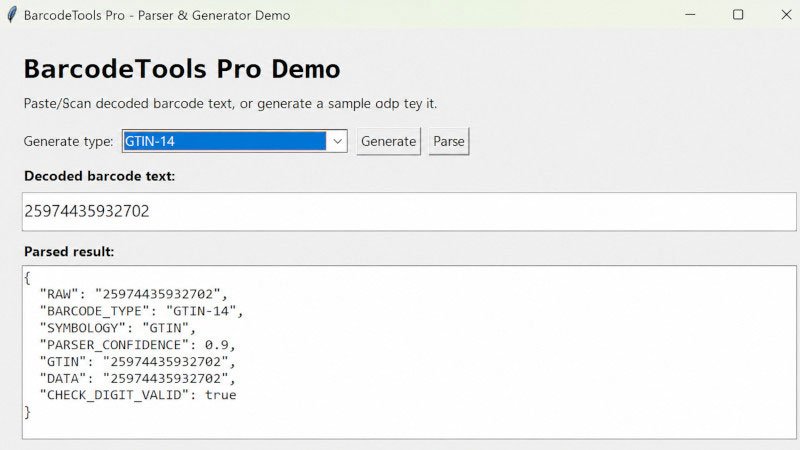
A ready-to-run Tkinter demo application is included, featuring a barcode type dropdown, random sample generator, parse button, and JSON result display — a working reference UI you can extend or use as a quick internal tool as-is.
What's Included
- Python GS1 barcode parser (parser.py)
- Random barcode test data generator (generator.py)
- Command-line interface (cli.py)
- CSV batch parser example
- Tkinter demo application
- Sample barcode CSV file
- Unit test suite
- README documentation
- Source license template
Platform & Requirements
- Python 3.10+
- Tested on Windows
- Core parser/generator modules are cross-platform and should also run on macOS/Linux
- Tkinter demo is a desktop interface (uses Python's built-in Tkinter library)
- No third-party dependencies required for the core parser/generator
Tech Stack
| Layer | Technology |
|---|---|
| Language | Python 3.10+ (no third-party dependencies for core parser/generator) |
| CLI | argparse-based command-line interface |
| Desktop Demo | Tkinter |
| Testing | unittest |
| Packaging | pyproject.toml |
Who It's For
- Developers building inventory or warehouse management tools
- Teams building receiving or label-verification applications
- Businesses testing scanner-driven desktop workflows
- Anyone needing randomized GS1/UPC/EAN test payloads for QA
Limitations
- Parses decoded scanner text only — does not read barcode images from photos
- Symbology detection is best-effort without scanner AIM identifiers
- GS1 variable-length fields parse best when the payload follows common GS1 sequences or includes FNC1/group separator data
- Developer source code, not a full warehouse management system
FAQ
1. Does this decode barcode images?
No. BarcodeTools Pro parses the decoded text output from a barcode scanner. It does not perform image-based barcode decoding.
2. Do I need any external libraries?
No third-party dependencies are required for the core parser and generator.
3. What Python version do I need?
Python 3.10 or higher. The package has been tested on Windows, and the core parser/generator modules are cross-platform, so they should also run on macOS and Linux.
4. Can I use this to generate test barcodes for QA?
Yes. The built-in generator produces randomized, realistic payloads across GS1, UPC/EAN, Code 39/128, Codabar, and QR formats.
5. Is the source code encrypted or locked to a domain?
No. You receive full, unencrypted source code with no domain restrictions, for a one-time price.
6. Can I white-label this and resell it?
Yes, white-label rights are included per Coderobotics' standard licensing, and a source license template is provided with the bundle.
Don’t Keep This to Yourself — Share It!


License
A regular license permits the use of an item in a single project, whether for personal or commercial purposes, by you or on behalf of a client. Resale of the item, either individually or as part of a project, is prohibited, and the distribution of source files is not allowed.
Platform & Requirements
- Python 3.10+
- Tested on Windows
- Core parser/generator modules are cross-platform and should also run on macOS/Linux
- Tkinter demo is a desktop interface (uses Python's built-in Tkinter library)
- No third-party dependencies required for the core parser/generator
Payment Type
One time Payment: Upon receiving your full payment, we will provide you with the complete source code. After that, no additional payments will be required.
Delivery Time
We will send the Download Link to you Within 2-4 hrs. On Working Days(Monday- Friday) And the source code will deliver within 4-8 hours On Weekends (Saturday -Sunday).
Technical Support
Unlimited Email Support for One Year.
Script Update
Free Updates for One Year.
Customization Scope
Includes Complete Source Code.
Encryption
No Encryption and No Domain Limitations.
Installation
No Free Installation Services. Our charges range from $5 to $10, depending on the software's complexity and criticality.



No comments yet. Be the first to comment!