Blogs (241)
- Accounting Software (2)
- AI Scripts (1)
- ASP.Net Projects (6)
- Banking Scripts (2)
- Buy Sell .Net Projects (2)
- Buy Sell Code (38)
- Buy Sell PHP Scripts (5)
- Classified Scripts (1)
- Clone Scripts (2)
- Codecanyon Alternative (6)
- CRM Scripts (1)
- Crypto Platform (6)
- Django Projects (1)
- Ecommerce Scripts (1)
- ERP Source Code (1)
- Final Year Projects (3)
- Forex Trading Platform (8)
- Free PHP Projects (6)
- Hosting (1)
- Marketplace Scripts (2)
- Micro SaaS (6)
- MLM Scripts (1)
- Online Booking Script (1)
- Passive Income (11)
- PHP Development (1)
- PHP Scripts (41)
- PHP Tutorial (6)
- PhpGuard (3)
- Python Scripts (2)
- Readymade Software (3)
- Reselling Software (2)
- SaaS Scripts (3)
- School Scripts (1)
- Side Hustle (1)
- Vibe Coding (3)
- White Label Software (21)
How to Choose the Right PHP Script
PHP Scripts, Buy Sell PHP Scripts
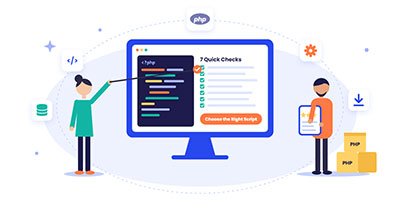
A ready-made PHP script can save you weeks of development. That's true whether you're launching a booking system, CRM, e-commerce store, job board or SaaS app. But a nice demo doesn't guarantee that the script fits your project.
Use these 7 checks to buy with confidence. Then browse PHP scripts on Coderobotics to find the one that fits.
1. List your must-have features
Write down the features your project can't launch without. Keep them separate from the nice-to-haves. A long feature list means nothing if one essential feature is missing.
2. Test the live demo like a real user
Don't stop at the homepage. Sign up, submit forms, search, check the mobile view and try the admin panel. Note anything that breaks or feels unclear.
3. Confirm what's in the download
Is it the full source code with a working backend, or just a UI template? Check whether installation docs, the database file and an admin panel are included.
4. Match the tech stack to your hosting
Check the required PHP version, database, framework (Laravel, CodeIgniter, core PHP) and extensions. Make sure the PHP version is still supported and that your hosting can run it.
5. Read the documentation
Good documentation covers installation, configuration and updates. If you can't find answers there, ask the author before you buy.
6. Check updates, reviews and support
A recent changelog, honest reviews and a clear support policy are good signs. Make sure you know what support covers: bug fixes, installation help or custom work.
7. Budget for the work after purchase
Branding, integrations, customization, security review and hosting all add to the real cost. Pick the best fit for your project, not just the lowest price.
Why Buy and Sell PHP Scripts on Coderobotics?
Coderobotics is a marketplace built for PHP scripts and PHP software.
- For buyers: Browse ready-to-use PHP scripts, apps and templates. Compare demos and pick a solution that helps you launch faster.
- For sellers: Put your PHP projects in front of buyers who are actively looking for PHP software, and turn your code into income.
FAQ
What is a PHP script?
A PHP script is ready-made software written in PHP, such as a CMS, booking system, CRM or marketplace. You can install and customize it instead of building from scratch.
Where can I buy PHP scripts online?
Coderobotics is a marketplace for buying and selling PHP scripts and PHP software, with ready-to-use solutions for many business needs.
Are ready-made PHP scripts safe to use?
They can be, if you pick a well-maintained script and keep it updated. For projects that handle payments or sensitive data, have a developer review the code before launch.
Can I customize a PHP script after buying it?
Most scripts come with source code, so you or a developer can change them. Check the license and documentation first.
Can I sell my own PHP scripts on CodeRobotics?
Yes. Developers can list their PHP scripts on Coderobotics and reach buyers who are looking for PHP software.
What should I check before buying a PHP script?
Check your must-have features, the demo, what's in the download, the hosting requirements, the documentation, updates and support, and the total cost after purchase.
A Trusted Marketplace for Ready-Made PHP Scripts
Coderobotics is a trusted marketplace for buying and selling ready-made PHP scripts. Buyers can find PHP software that's ready to launch, from booking systems and CRMs to e-commerce stores, job boards and SaaS apps, without coding from scratch.
For developers, Coderobotics is a simple way to sell PHP scripts to buyers who are actively looking for quality PHP solutions. Whether you're launching your next project or earning from your code, Coderobotics is the place to buy and sell ready-made PHP scripts with confidence.
Browse ready-made PHP scripts, click here >>
Start selling PHP scripts on Coderobotics, click here >>
This article was posted by Sasi and tagged in Buying a PHP script? Use these 7 quick checks to choose the right one
Don’t Keep This to Yourself — Share It!


Leave a Comment
Comments
No comments yet. Be the first to comment!