Blogs (240)
- Accounting Software (2)
- AI Scripts (1)
- ASP.Net Projects (6)
- Banking Scripts (2)
- Buy Sell .Net Projects (2)
- Buy Sell Code (38)
- Buy Sell PHP Scripts (4)
- Classified Scripts (1)
- Clone Scripts (2)
- Codecanyon Alternative (6)
- CRM Scripts (1)
- Crypto Platform (6)
- Django Projects (1)
- Ecommerce Scripts (1)
- ERP Source Code (1)
- Final Year Projects (3)
- Forex Trading Platform (8)
- Free PHP Projects (6)
- Hosting (1)
- Marketplace Scripts (2)
- Micro SaaS (6)
- MLM Scripts (1)
- Online Booking Script (1)
- Passive Income (11)
- PHP Development (1)
- PHP Scripts (40)
- PHP Tutorial (6)
- PhpGuard (3)
- Python Scripts (2)
- Readymade Software (3)
- Reselling Software (2)
- SaaS Scripts (3)
- School Scripts (1)
- Side Hustle (1)
- Vibe Coding (3)
- White Label Software (21)

Stop Bot Traffic & Protect Your SEO in 2026
Website
Every website owner today faces the same problem — bots.
They fill forms with spam, create fake accounts, scrape your content, overload servers, and even attempt brute-force logins.
As a digital agency in Texas, we manage SEO, performance, and development for hundreds of clients at Coderobotics. One thing is clear:
Stopping bots is essential for SEO, security, and user experience.
Traditional CAPTCHA is outdated. Users hate solving puzzles, clicking crosswalks, or choosing traffic lights.
That’s where Cloudflare Turnstile comes in — the future of bot protection.
What Is Cloudflare Turnstile?
Cloudflare Turnstile is a free, modern, smart, and privacy-friendly alternative to CAPTCHA.
It verifies human visitors without showing any challenge.
- No puzzles.
- No checkboxes.
- No image clicks.
- No frustration.
Turnstile runs silently in the background and validates users automatically based on:
- Browser behavior
- Device reputation
- Cloudflare threat intelligence
- Machine-learning risk scoring
- User interaction patterns
Cloudflare describes it as:
“A simple, free, and user-friendly alternative to CAPTCHA.”
Why Is Turnstile Better Than Google reCAPTCHA?
Feature | Google reCAPTCHA | Cloudflare Turnstile |
|---|---|---|
| User Experience | Challenges, puzzles | No puzzles (invisible) |
| Privacy | Sends data to Google | Privacy-focused |
| Speed | Slower on mobile | Lightweight & fast |
| Branding | Google-powered | Clean |
| Cost | Free | 100% Free |
| SEO Impact | Sometimes slows page | Faster UX ? better SEO |
Turnstile improves security without hurting conversions, page speed, or Core Web Vitals — something extremely important for SEO.
How Turnstile Stops Bots
Cloudflare Turnstile protects websites using multiple layers of detection:
1. Stops spam bots
Prevents fake form submissions, spam registrations, fake leads, and automated scripts.
2. Blocks brute-force login attacks
3. Protects APIs
You can protect API endpoints such as:
- Signup
- Checkout
- Payment verification
4. Reduces server load
Bots can consume CPU, bandwidth, and database queries.
Turnstile blocks these before they reach your backend.
5. Zero-friction human experience
Your visitors do not see anything — verification happens automatically.
Where Should You Use Turnstile?
Turnstile works perfectly on:
- Contact forms
- Login pages
- Signup pages
- Forgot password forms
- Checkout pages
- Admin or dashboard logins
- Blog comment forms
- Newsletter signup forms
- Web applications
- PHP, ASP.NET, Node.js, Python, Java… everything
How to Implement Cloudflare Turnstile (Step-by-Step Guide)
Here is the most important part — how to implement Turnstile on your website.
Step 1: Create a Turnstile Site Key
- Login to Cloudflare
- Go to Turnstile
- Click Add Site
Copy your Site Key and Secret Key
Example:
Site Key: 0x4AAAAAACB2V7dlMH19djxq
Secret Key: 0x4AAAAAACB2V7dlMHXXXXXXX
Step 2: Add Turnstile Widget to Your HTML page
Place this inside your :

Step 3: Validate Turnstile Response in PHP
Cloudflare sends a token to your backend.
Use this PHP code:
$token = $_POST['cf-turnstile-response']; $secret = "YOUR_SECRET_KEY"; $ch = curl_init(); curl_setopt($ch, CURLOPT_URL, "https://challenges.cloudflare.com/turnstile/v0/siteverify"); curl_setopt($ch, CURLOPT_POST, true); curl_setopt($ch, CURLOPT_POSTFIELDS, http_build_query([ 'secret' => $secret, 'response' => $token ])); curl_setopt($ch, CURLOPT_RETURNTRANSFER, true); $result = json_decode(curl_exec($ch), true); if ($result["success"]) { echo "Human verified! Continue processing the form."; } else { echo "Bot verification failed!"; }
How to Show Turnstile on a Blank Screen Before Page Loads
If you want to verify before loading your main page, use this method:
Create verify.php:
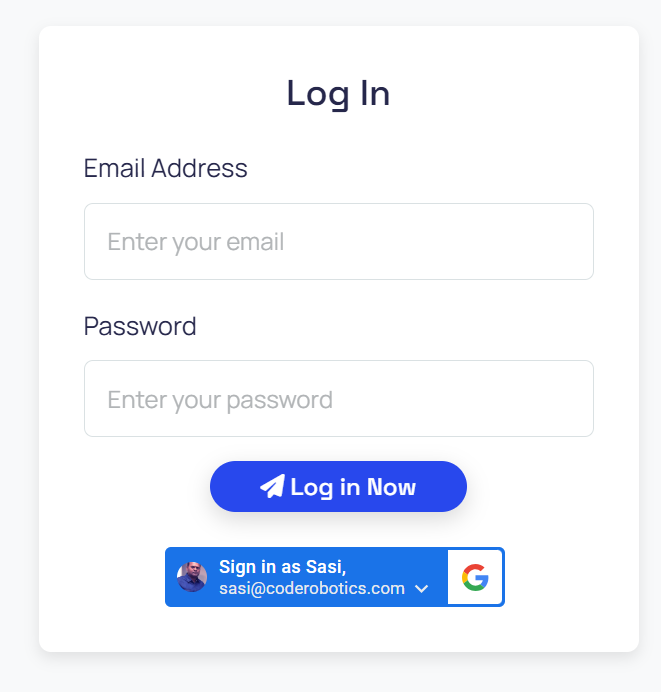
Then on submission, verify token.
If verified load homepage.
If not show verification screen again.
This gives you a blank Turnstile screen, then loads the website.
Best Practices for Bot Protection
- Use Turnstile on all high-risk forms
- Combine with Cloudflare Firewall Rules
- Enable rate limiting
- Monitor failed attempts
- Protect admin panels
- Log suspicious IPs
- Add server-side validation (never rely on frontend only)
Conclusion
Cloudflare Turnstile is the simplest and most effective way to stop bots in 2025. It is:
- Free
- Fast
- User-friendly
- SEO-friendly
- Privacy-first
- Easy to integrate
- Works on any website or platform
I implemented Cloudflare Turnstile across my ready-made PHP script marketplaces and ASP.NET source code marketplaces to protect the platforms from spam, bots, and malicious traffic.
If you want to protect your PHP scripts, ecommerce applications, client websites, or custom portals, and markatplaces Cloudflare Turnstile should be your first choice.
I offer seamless implementation of Cloudflare Turnstile to protect your website from bots and spam.
This article was posted by Sasi and tagged in How to Stop Bots Using Cloudflare Turnstile
Don’t Keep This to Yourself — Share It!


Leave a Comment
Comments
No comments yet. Be the first to comment!